Milkshala

A2 Milk Product Mobile App UIUX Case Study

img

Project Overview

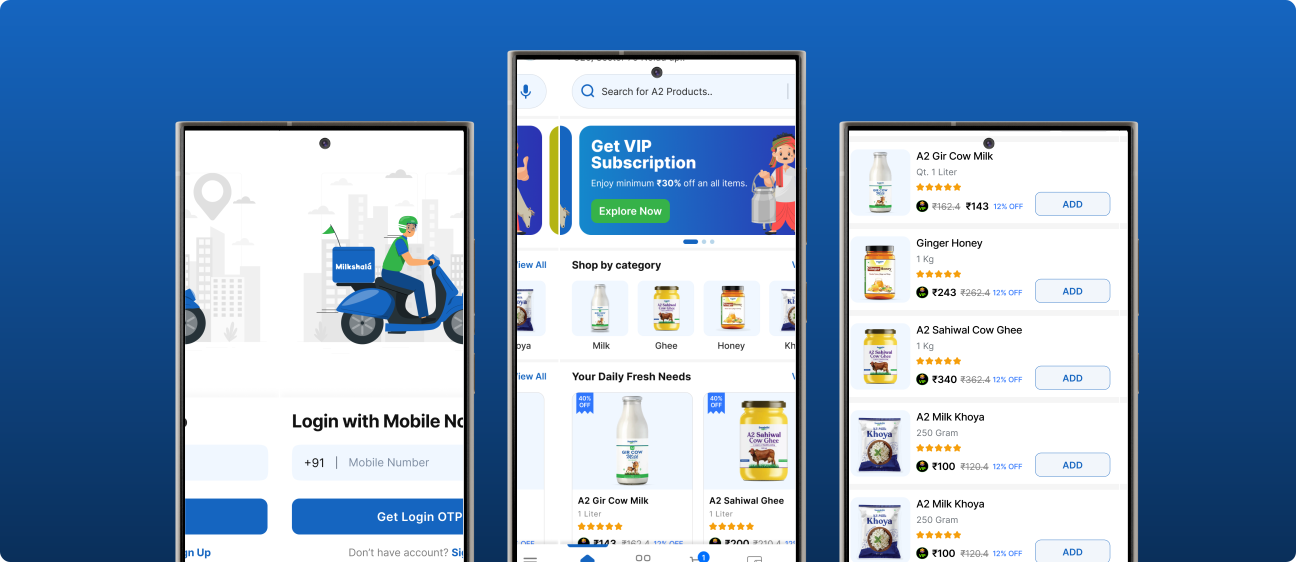
Milkshala is a subscription-based milk delivery application offering pure, certified A2 milk and dairy products across Delhi NCR. The project focuses on creating a flexible and transparent subscription experience that allows users to manage deliveries effortlessly, ensuring a smooth and dependable daily routine.

My Role

UIUX Designer

Project Team

4 Members

Timelines

4 Weeks

Tools Used

Figma, Notion, Jira, Meets

About NewsBytes

About Milkshala

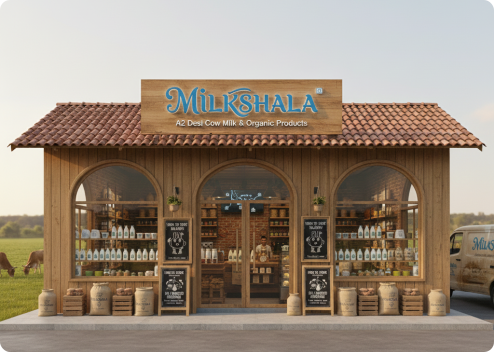
Milkshala is a fourth-generation dairy brand delivering pure, A2 Desi Cow milk and organic products Gaushala in Noida Uttar Pradesh. Rooted in traditional, chemical-free farming practices, the brand ensures quality through Gaushala and sustainable processes.

Milkshala offers a wide range of products made from A2 milk, and its services will be available across iOS, Android, and web platforms.
About Milkshala
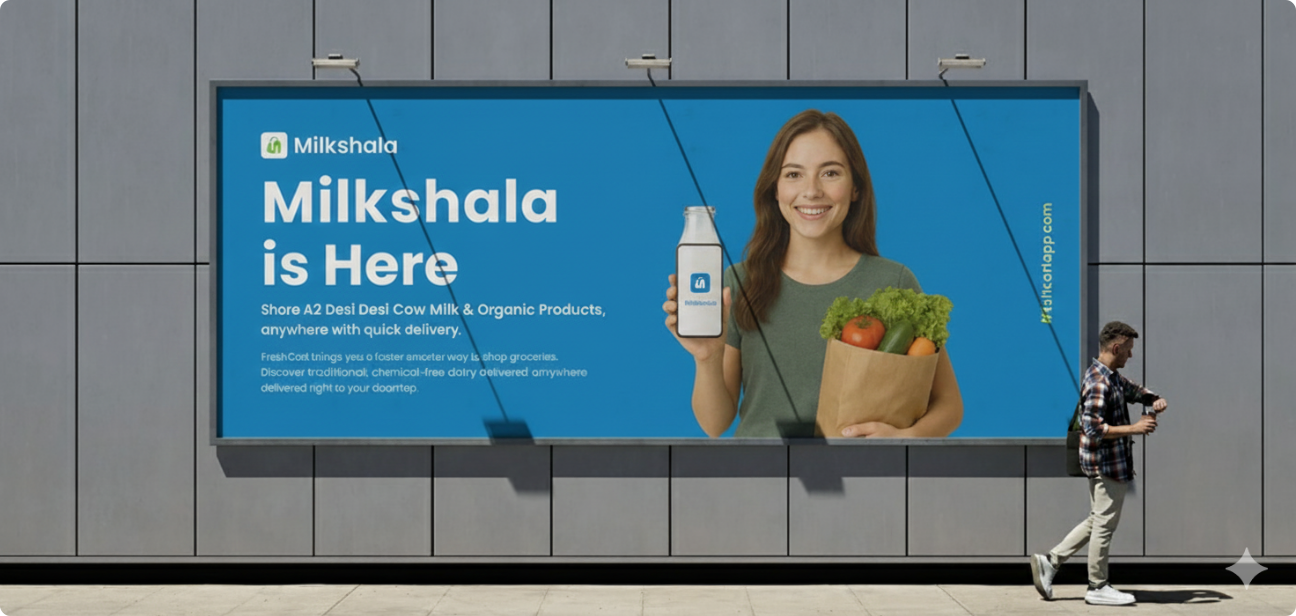
Milkshala Banner

Problem Statement

img

The client approached me to design a new and full-fledged subscription milk delivery mobile application that enables users to easily purchase pure A2 milk and related dairy products directly from their Gaushala through milkshala mobile app.

As a daily-use service, the product required a clean user interface with best user experience, reliable, and user-friendly subscription experience that allows customers subscription control like start, pause, modify, or cancel deliveries effortlessly.

img
img

Goal & Objectives

img
  • Transparency in delivery schedules.
  • Design a scalable and intuitive experience across iOS, Android.
  • Design intuitive flows that work equally well for first-time and repeat users.
  • To design a clean UI and easy-to-use experience so users can manage their milk delivery without confusion.
  • Simplify milk subscription control like pause, resume, and quantity changes with minimal steps.
  • To increase A2 milk awareness so people can clearly understand its benefits.

Research Phase

The research phase focused on understanding user needs, pain points, daily milk consumption behaviour, and expectations from an A2 milk subscription service, using a mixed-method approach to validate assumptions and define key experience requirements.

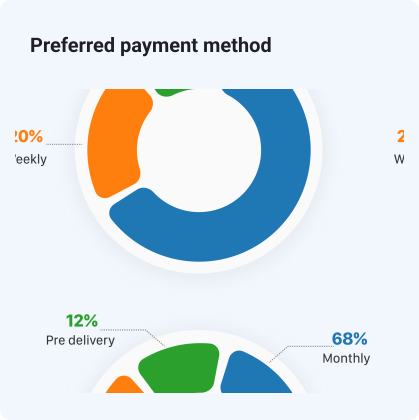
Quantitative Research

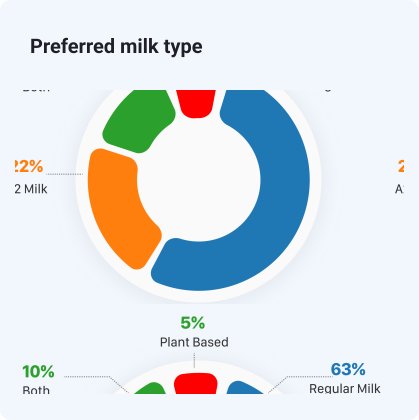
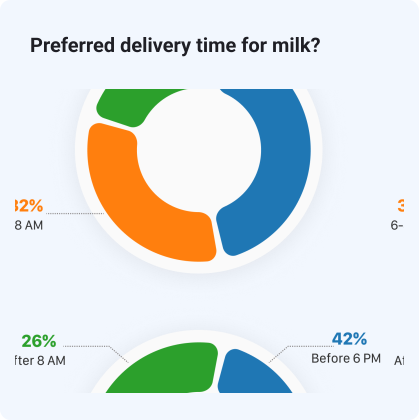
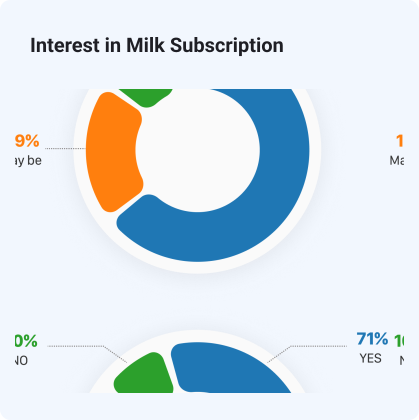
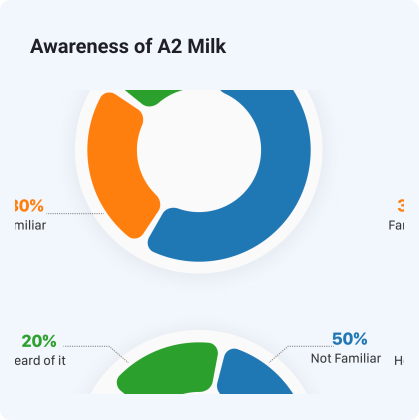
Conducted a Google Form survey with 32+ participants (ages 18–55), including professionals, homemakers, and students, to understand their milk-buying preferences. The survey was kept short and simple to encourage honest responses.
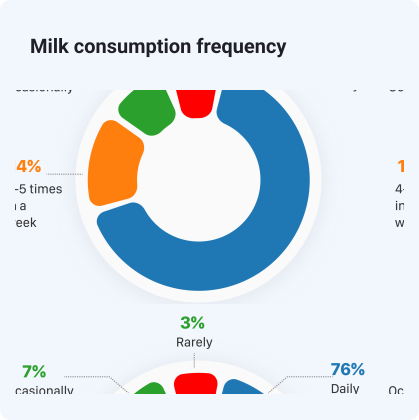
Quantitative
Quantitative
Quantitative
Quantitative
Quantitative
Quantitative

Qualitative Research

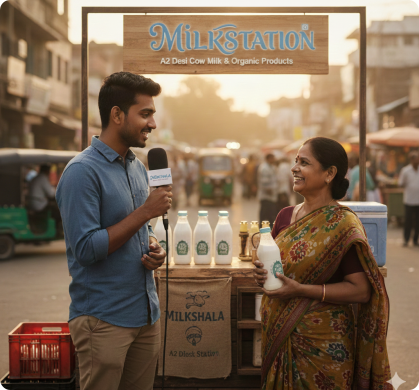
I interviewed 8–10 users in person and 2–4 via phone, focusing on professionals, homemakers, and students to uncover their needs, pain points, motivations, and goals.

Question 1

How do you currently manage your daily milk purchases or deliveries?

Question 2

What is the biggest problem you face while using any milk delivery app?

Question 3

Which features would you expect to use most in an A2 milk delivery app?

Question 4

What problems have you experienced with existing milk delivery services or vendors?
Question 5

How important for you - manage subscription like pause, quantity change, or cancellation?

Question 6

What factors help you trust the quality and source of milk? What creates doubt?

Question 7

What would make you recommend a milk delivery app to others?

Question 8

Have you ever faced issues with delivery timing or missed deliveries?

Question 9

What problems have you experienced with the UI or UX of existing milk delivery apps?

Competitive Analysis

A competitive analysis was conducted to evaluate existing milk delivery and A2 dairy apps, focusing on subscription flexibility, quality transparency, and overall user experience.
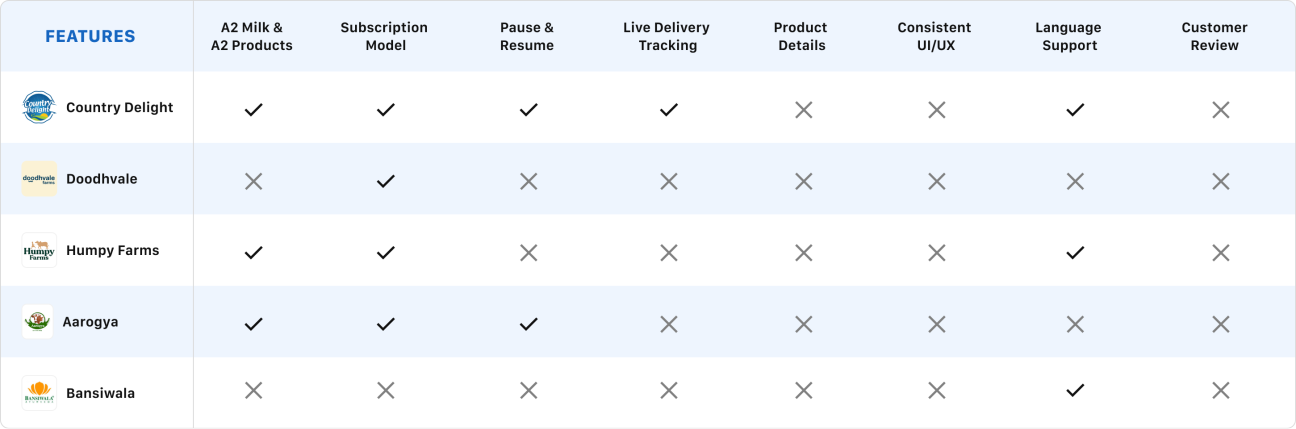
analysis_table

App Feedback Review

Analysed App Store and Play Store reviews to uncover real user frustrations, feature requests, and usability issues.

Subscription cancel karna unnecessarily complicated bana diya hai.

Gaurav Kapoor

Marketing Executive
The app flow is so confusing. Can’t track or try anything.

Raghav Mishra

Doctor

Bad user Experience, Very confusing app i have seen ever.

Anjali Verma

Housewife

Low product quality compared to what's shown.Ingredients info missing.

Amit Singh

Software Engineer

User Interface is too boring and confusing – especially for first-time users.

Riya Pandey

Teacher


Define Phase

The Define phase helped transform scattered findings and insights into specific user pain points and design goals.

Persona 1

img

Amrita Singh

  • 32 years
  • Teacher
  • Unmarried

Bio

Amrita represents busy working professionals who prioritise family health and need a trustworthy, low-effort milk subscription experience.

🎯 Goals
  • Ensure her family consumes pure, healthy A2 milk daily.
  • Have a reliable early-morning delivery without daily follow-ups.
  • Manage milk subscriptions quickly around her busy routine.
  • Stay updated with new products and new offers to save money.
🧩 Need
  • Trustworthy milk quality with clear sourcing and certification.
  • A simple, easy-to-use app that saves time.
  • Flexible subscription controls (pause, quantity change during travel or guests)
  • Clear and live delivery updates and reminders.
😣 Frustrations
  • Uncertain milk quality and lack of transparency in existing services
  • Late or missed deliveries that disrupt her morning routine
  • Complicated apps where small changes take too many steps
  • Difficulty pausing or modifying subscriptions during holidays.

Persona 2

img

Umesh Tiwari

  • 58 years
  • Retired
  • Married

Bio

Umesh is a 58-year-old retired professional who values health, trust, and simplicity, and prefers reliable, easy-to-use services for daily milk delivery.

🎯 Goals
  • Receive pure and healthy A2 milk daily without worry.
  • Ensure on-time early-morning delivery before 7 AM.
  • Use an app that is simple and easy to understand.
  • Maintain a consistent routine without daily follow-ups.
🧩 Need
  • Clear information about milk quality, source, and product details.
  • Easy subscription control (pause, resume, quantity change).
  • Reliable delivery updates without unnecessary notifications.
  • Readable text and simple navigation.
😣 Frustrations
  • Confusing app interfaces with too many steps.
  • Small fonts and poor readability, especially on mobile.
  • Missed or late deliveries without prior notice.
  • Lack of transparency around milk purity and sourcing

Finding & Insights
  • 👉 Inconsistent UI patterns slow down task completion and cause confusion.
  • 👉 Clear product and A2 milk information increases confidence and purchase intent.
  • 👉 Clear and easy subscription-related actions (pause, resume, quantity change) are the most-used features.
  • 👉 Clear confirmations and delivery status reduce user anxiety.
  • 👉 Calendar-based interaction feels familiar and trustworthy.
  • 👉 Older users struggle with small text, complex flows, no product details and unclear labels.
  • 👉 Users prefer a clean and simple UX flow that helps them navigate without confusion.
  • 👉 Discounts do not compensate for unreliable service or poor UX.

Ideation Phase

After analyzing the data and brainstorming, I was clear about the required features and actions. I quickly moved on to mapping the user flow and creating wireframes.

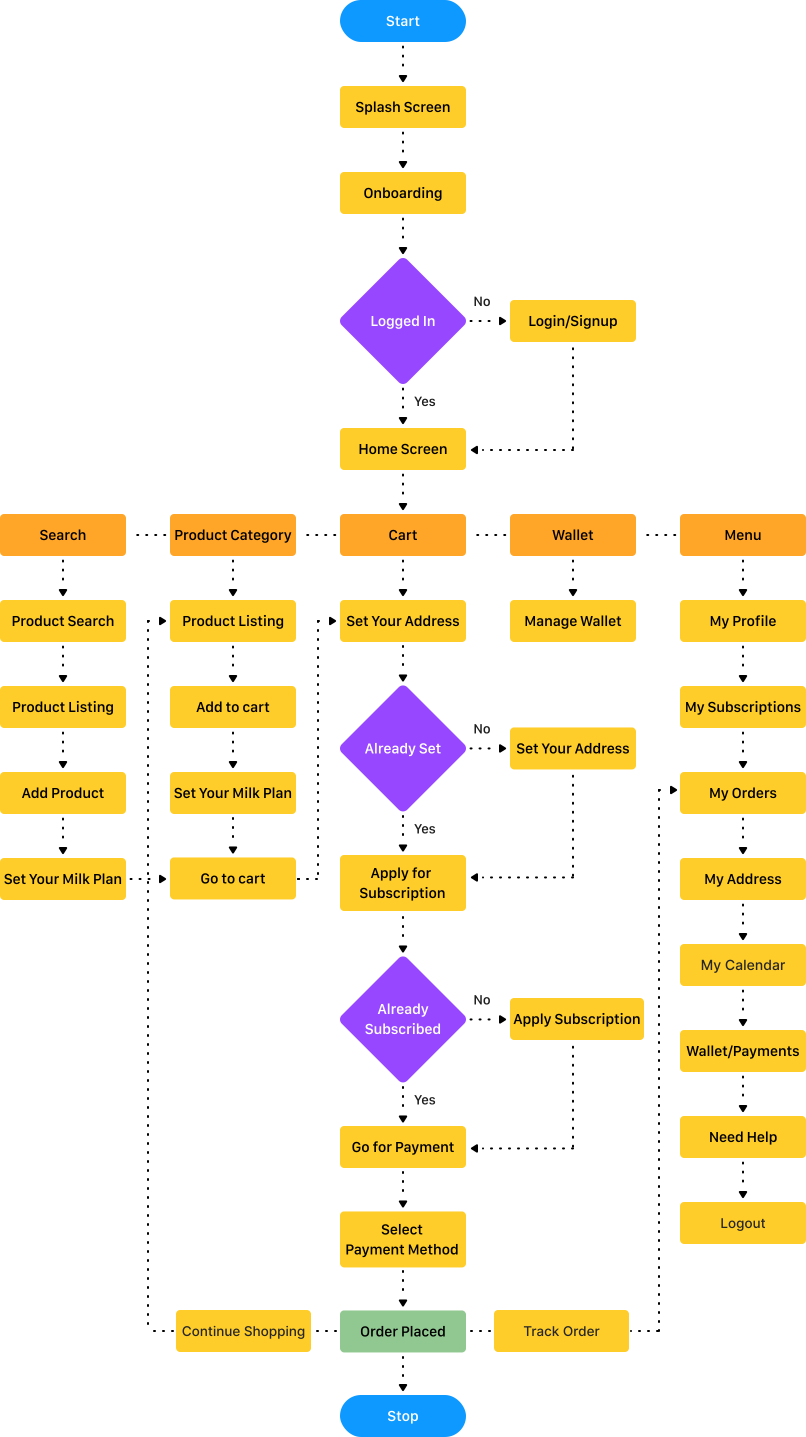
User Flow

After the research and analysis, it was time to begin the redesign. The task flow below brings everything together before moving into ideation and screen redesign.

user_flow

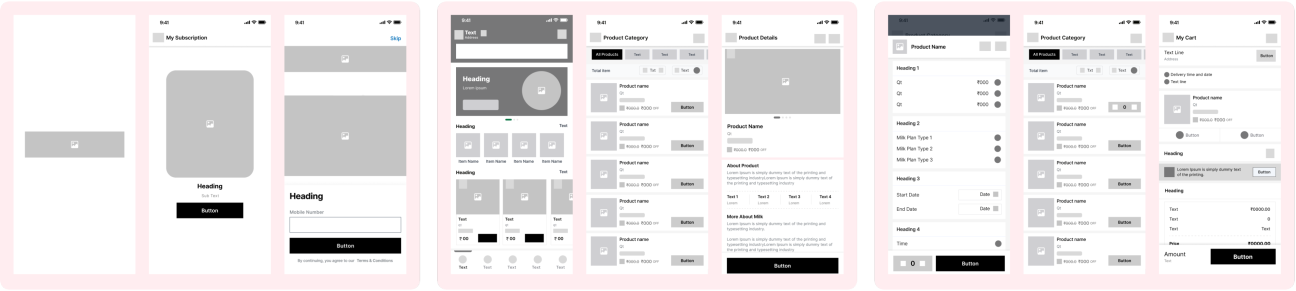
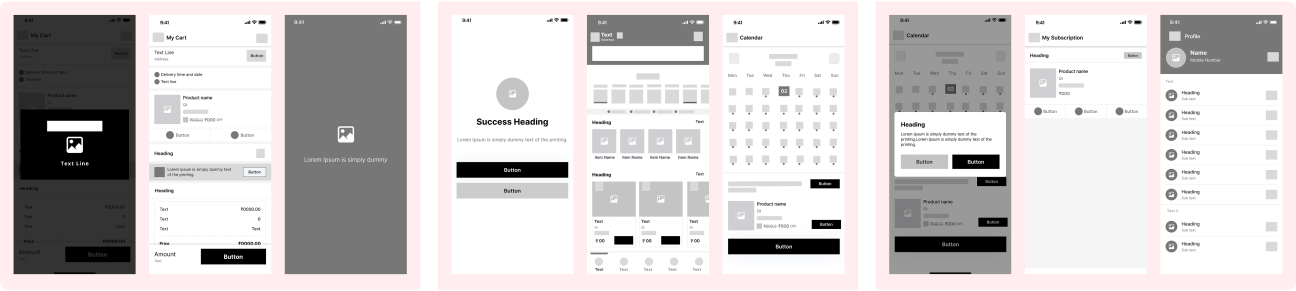
Wireframes

Wireframes were done to get my initial thoughts on paper and brainstorm new ideas for specific UI elements.

schetches
schetches

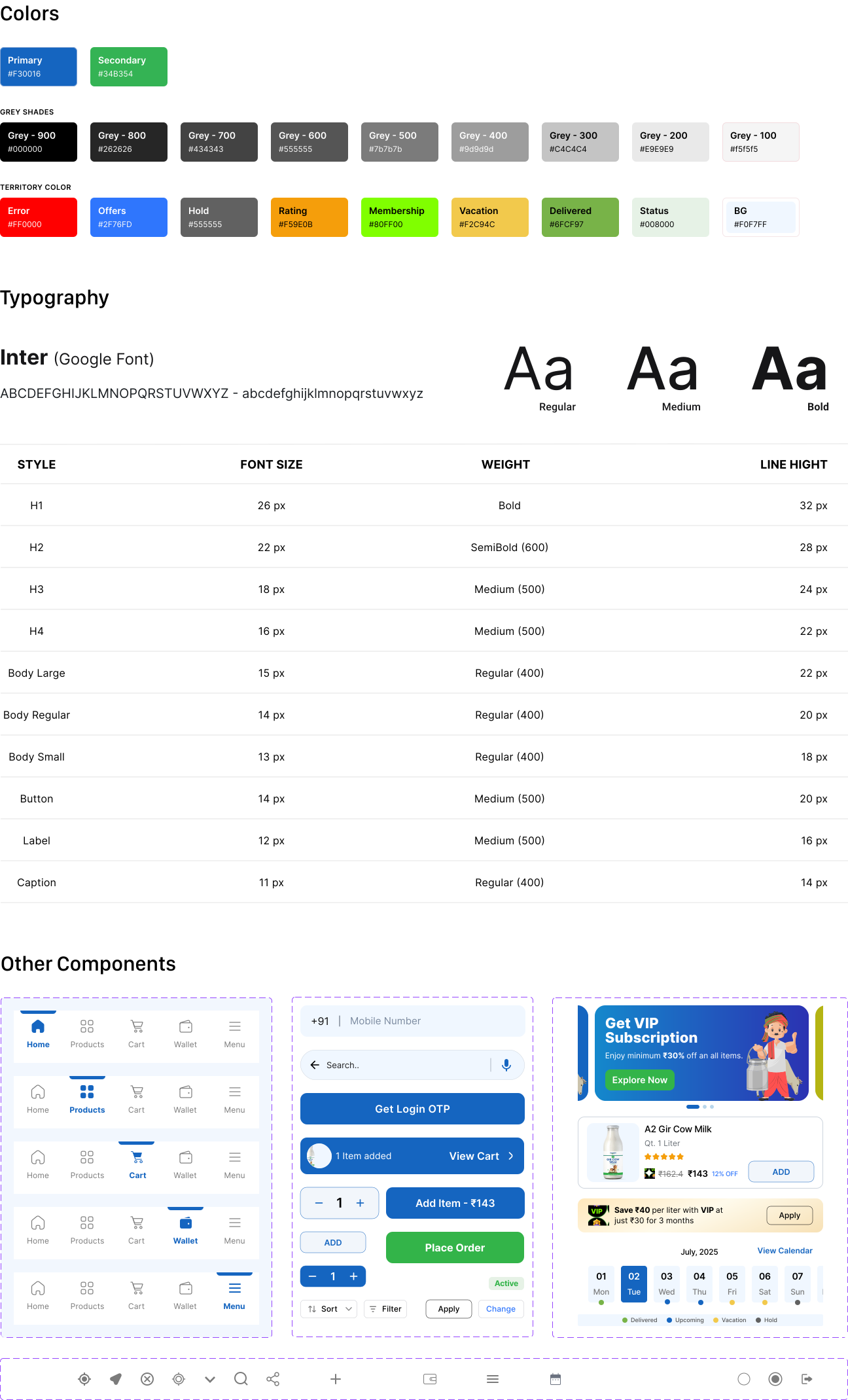
Visual Guidelines

Neo-pop was selected as the visual theme because the app's target demographic is young adults (18–35) with low or average salaries. The stakeholders also sought to maintain a street-friendly design.

Visual Guidelines

Visual Design

After initial rounds of discussions and agreement on the design language, we proceeded to Visual Design.

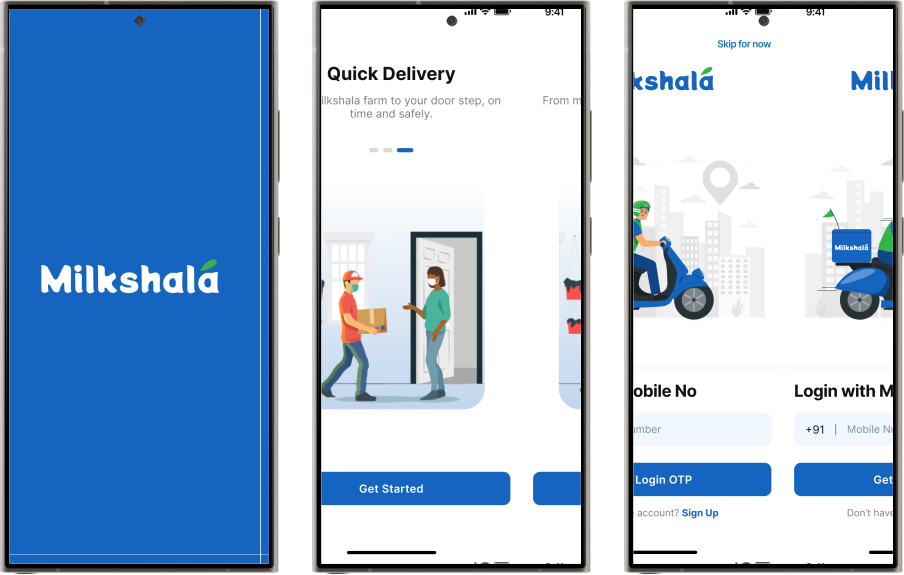
PART 1

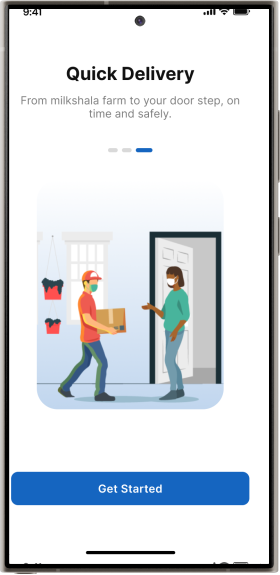
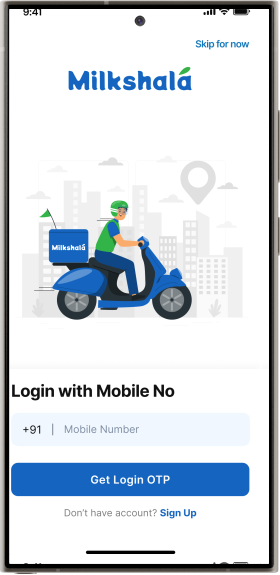
Splash, Onboarding, Login Screen

Visual Design

I refined the initial user journey by creating a clean, consistent visual flow across splash, onboarding, and login screens. The design focuses on clear hierarchy, simple layouts, and readable typography to build trust, explain value quickly, and make the first interaction smooth.

Visual Design
Visual Design
Visual Design
PART 2

Home Page & Product Categories

Visual Design
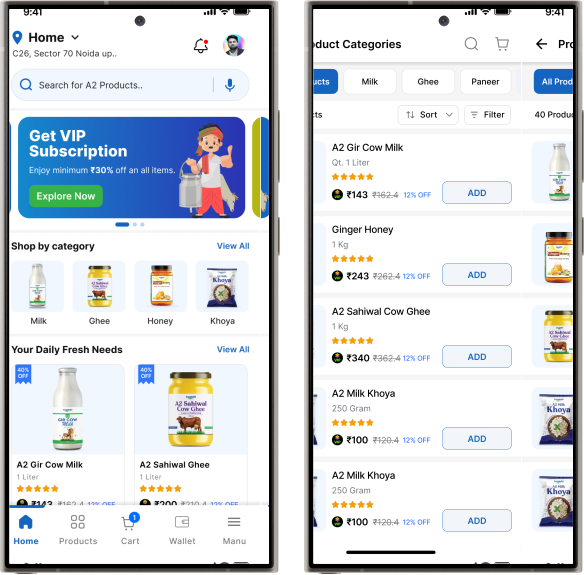
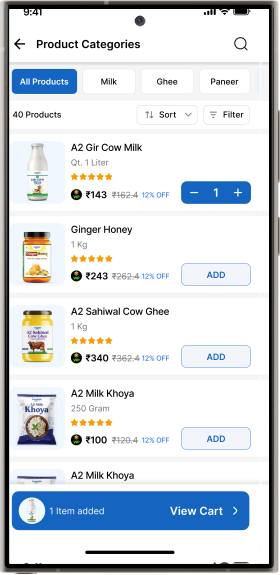
  • Designed a clear and intuitive home page navigation that allows users to easily set up and manage their location.
  • Simplified the subscription model so users can easily subscribe, save money, and get daily milk delivery on time.
  • Designed simple navigation for easy product browsing and quick add-to-cart.
  • On the product listing screen, users can explore and filter products, then navigate to the detail screen to learn more about A2 Milk
  • Bottom navigation provides quick access to products, cart, wallet, and menu.
Visual Design
Visual Design
PART 3

Product Details & Add Milk Preferences

Visual Design
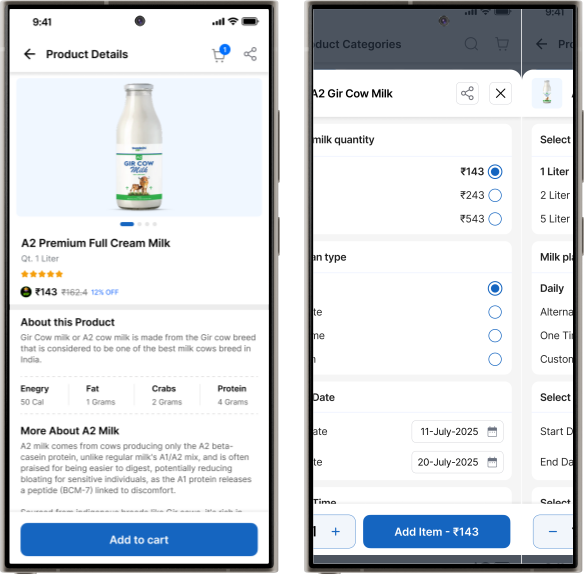
  • Solved a major user pain point from interviews by enhancing product descriptions, helping users gain clearer insights into A2 Milk on product details page.
  • Simplified milk preference selection with flexible options like daily, one-time, alternate, and custom delivery.
  • Improved navigation, allowing users to move easily and access all features seamlessly.
PART 4

Add to cart, My Cart, VIP Membership Applied

Visual Design

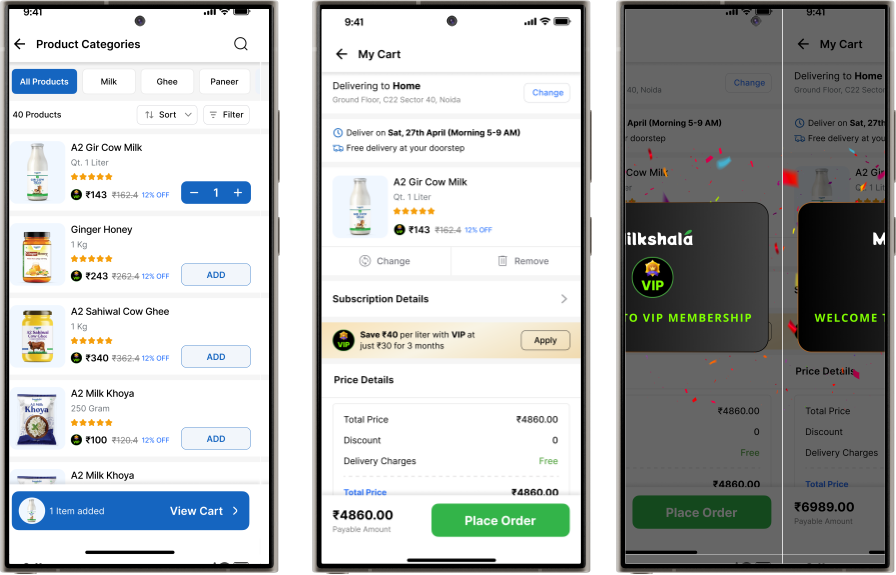
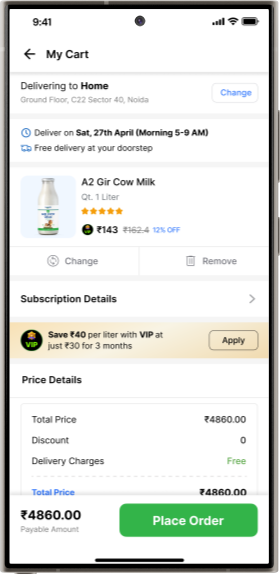
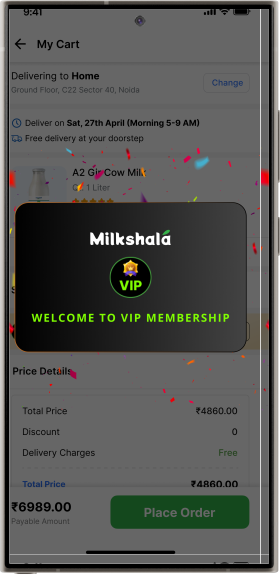
After adding products to the cart and proceeding to checkout, users are clearly informed about the benefits of the VIP Membership and can easily apply it to unlock better offers, receive additional discounts, and save more money on their purchases.

Visual Design
Visual Design
Visual Design
Visual Design
PART 5

My Cart & Applied Subscription Offer

Visual Design
  • Designed a flexible address change flow that allows users to update their delivery address effortlessly.
  • Designed a quick and intuitive option for users to change their milk preferences anytime.
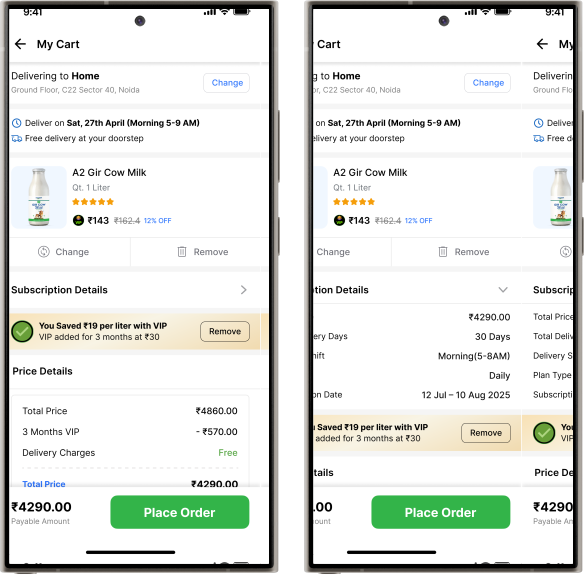
  • Provided flexibility to apply or remove subscription offers during checkout before payment.
  • Subscription and pricing details are presented clearly for easy understanding.
PART 6

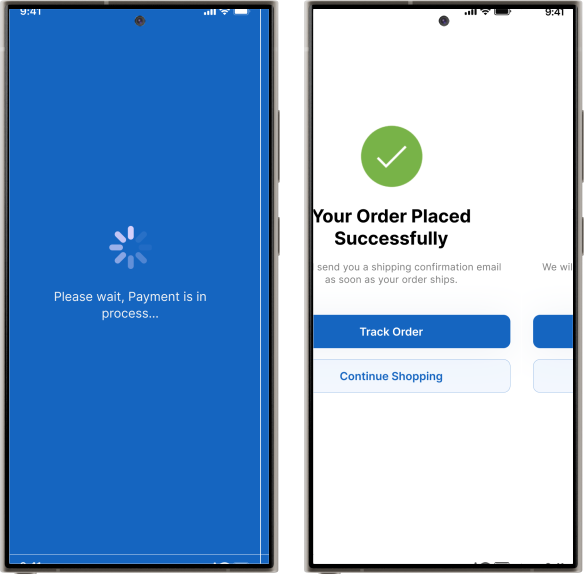
Payment Process & Order Placed

Visual Design

Simplified the checkout flow so users can quickly complete payment and then either track their order or keep shopping.

Visual Design
PART 7

Track Your Order Status

Visual Design
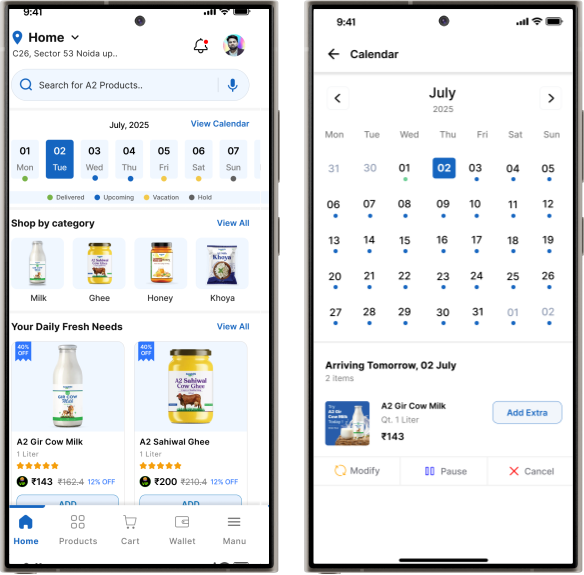
  • Solved the user problem of tracking subscriptions by introducing a clear, calendar-based view.
  • With the calendar view, users can easily modify, cancel, or pause their orders, and also add more items up to 6 hours before delivery.
Visual Design
PART 8

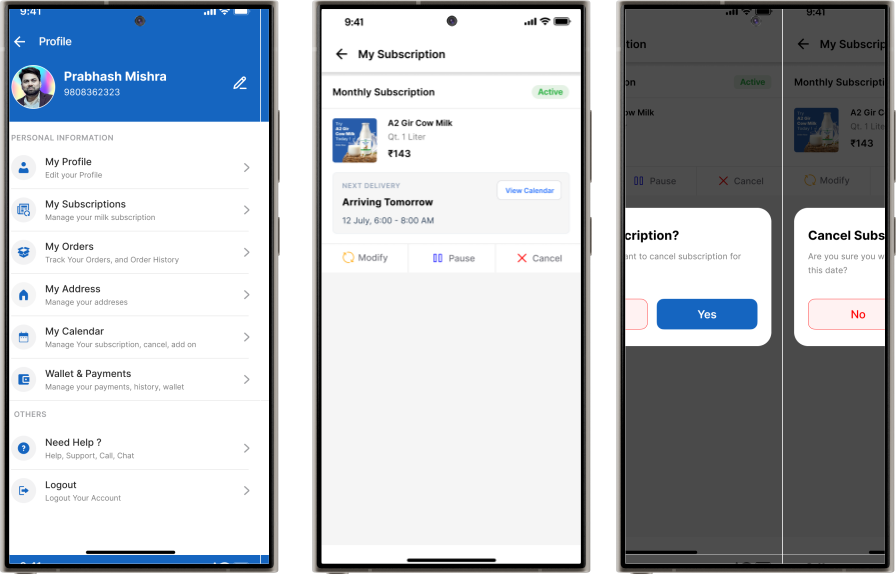
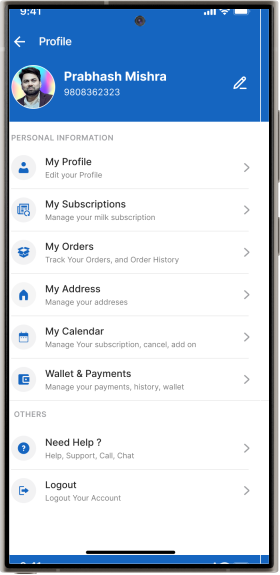
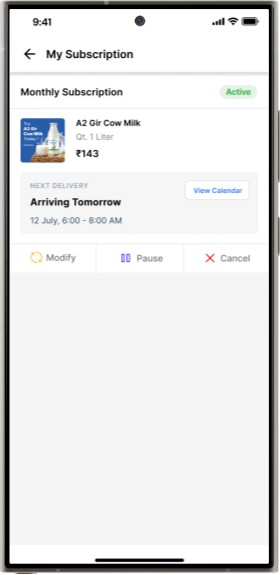
Menu, My Subscription, Cancel Subscription

Visual Design

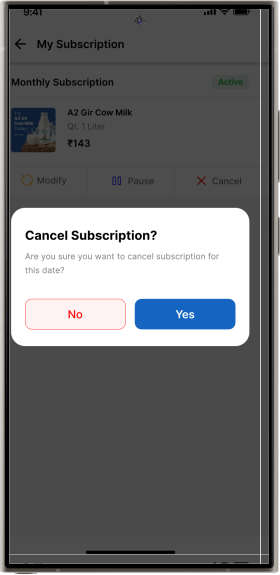
Users can manage multiple options such as profile editing, subscription controls, and more from a single place. If they need to modify an order—pause, cancel, or update it due to vacations—they can easily do so from the My Subscription section.

Visual Design
Visual Design
Visual Design

Prototype

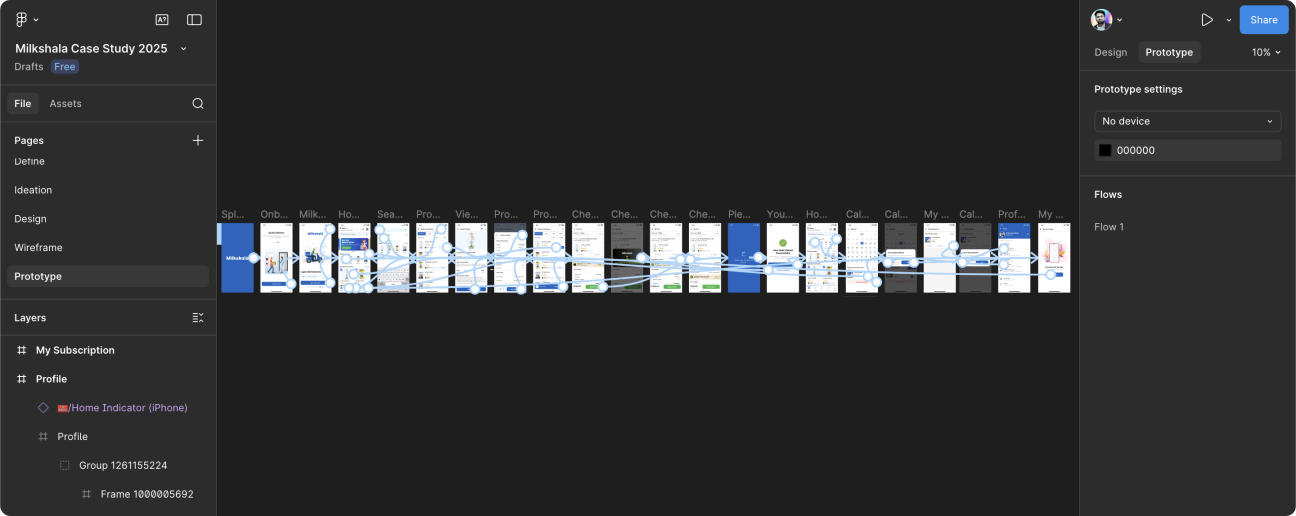
Prototyping was created to validate core user flows and daily milk delivery interactions before final UI design. This helped test assumptions early, reduce usability risks, and refine the experience through quick feedback.

img

Usability Testing

From moving theory to practice, the next phase was the main Usability Testing. Before engaging participants, however, certain ground rules and parameters needed to be define.

🎯 What is the purpose of the Usability Testing?

The main purpose of usability testing in Milkshala is to check whether real users can easily order milk and manage subscriptions without confusion or extra effort. It helps ensure the app feels simple, smooth, and trustworthy for daily use.

Now lets take a look how the test itself was structured. It dividing into 5 stages.

1. Participant Onboarding and Briefing

The facilitator provides a formal introduction to the study, explaining its purpose, the participant’s role, and the “think-aloud” protocol.

2. Review of Informed Consent

The participant is given an informed consent form to read and sign. This document outlines the test procedures, data handling, confidentiality, and the participant’s right to withdraw.

3. Pre-Test Questionnaire

The participant completes a short questionnaire about their general technology usage and familiarity with navigation apps. This information helps provide context for their behavior during the test.

4. Scenario-Based Tasks

This is the main phase of the test. The participant is presented with realistic scenarios and asked to complete specific tasks within the application, generating primary usability insights.

5. Post-Session Debrief

The session concludes with a post-test questionnaire and a brief open discussion to capture the participant’s final thoughts, overall impressions, and any remaining questions.

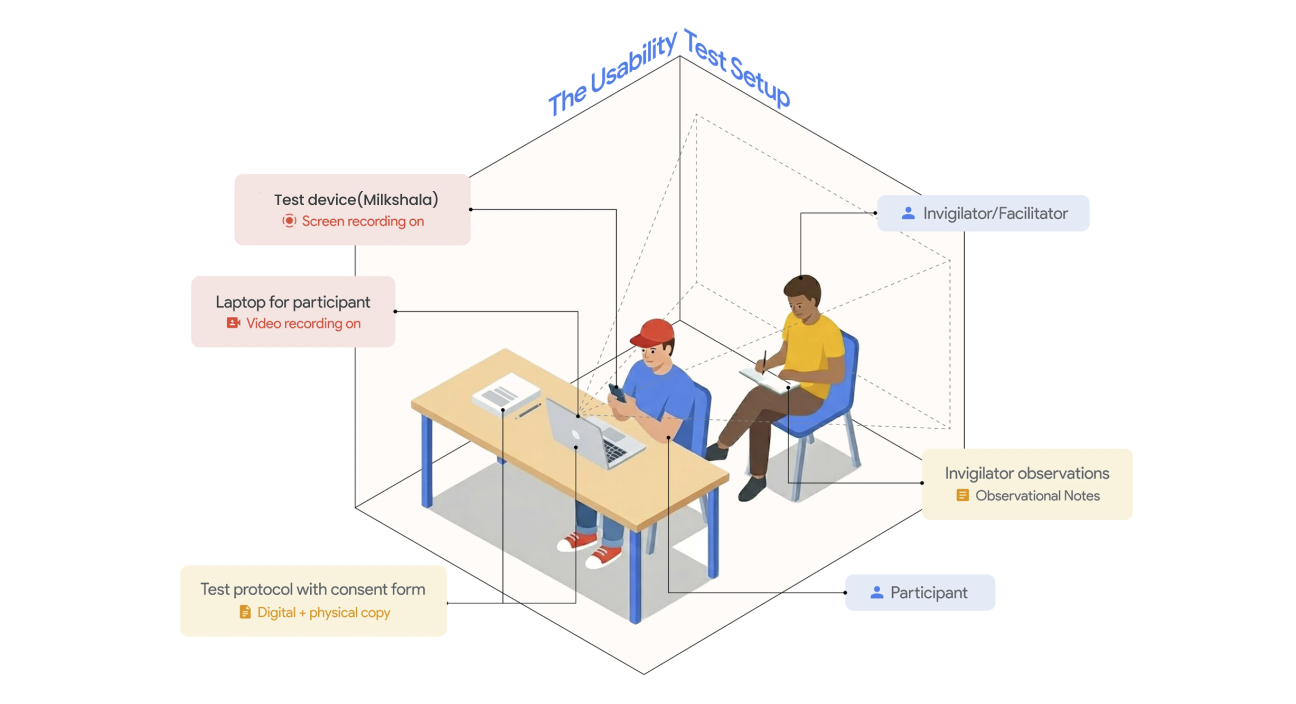
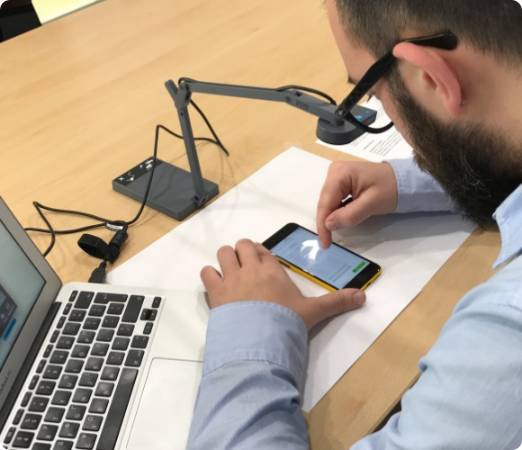
Here is visual representation of the testing environment and setup.

Participants

No of users tested

5

Age Group

18-60

Device type

Android and iOS Phones

Date

DD/MM/YYYY

User Types

Students, Working, Retired

Frequency of News Consumption

Moderated Test

Tasks Given to Participants


  • Open the Milkshala app and understand its purpose through the splash and onboarding screens.
  • Sign up or log in using a mobile number and complete the verification process.
  • Allow location access and confirm the correct delivery location.
  • Browse available milk options and view product details.
  • Select a milk type and choose a suitable subscription plan.
  • Set the daily quantity and preferred delivery schedule.
  • Place the subscription order and complete the checkout flow.
  • Use the calendar view to pause, resume, or modify a delivery for a specific date.
  • Visit the profile or subscription section to review order details and manage account settings.
participate_img

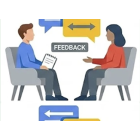
Usability Testing Insights and Feedback

Usability testing revealed that users were able to navigate the app with ease and clearly understand key features and flows. The simplified structure and fresh design helped reduce confusion, allowing users to complete tasks quickly and confidently. Feedback highlighted the clarity of actions, improved visual hierarchy, and smooth subscription management experience. Overall, the design effectively addressed user needs, enhanced usability, and created a more reliable and user-friendly daily milk ordering experience.

How will we measure the success of the product?

Since the wireflow is focused on the subscription plan and its management, success will be measured using both usability and business metrics:

  • Higher task completion rate during usability testing across subscription and order management flows.
  • Reduced time to complete key actions such as subscribing, pausing, modifying, or canceling deliveries and payments process.
  • Fewer user errors and drop-offs in critical subscription and payment flows.
  • Improved subscription success rate with more users completing and paying for plans.
  • Increased daily and weekly active users, indicating regular engagement.
  • Better subscription retention and repeat usage, with fewer mid-cycle cancellations.
  • Positive user feedback, NPS, and usability scores after subscription purchase.
  • Reduced customer support queries related to subscription and order management issues.

These metrics together will indicate how effectively the design improves usability, satisfaction, and long-term engagement.

My Learnings

Working on the Milkshala project helped me understand the importance of simplifying complex subscription flows into clear, user-friendly steps. I learned how small design decisions—such as clear labels, visual hierarchy, and accessible actions—can significantly reduce user confusion and improve task completion. Usability testing reinforced the value of validating assumptions early, as real user feedback revealed practical insights that guided better design solutions.

Thanks for watching